


Using the Library Search Interface
When you use the library’s search interface, PRIMO, you are not just searching what the PLU library owns physically, but you will also be searching for materials (academic articles or ebooks, for example) that the library has subscribed to. This does mean that some of your searches will return a lot of information, but PRIMO provides a number of tools to help you limit your searches to help you identify the kinds of resources that you will need.
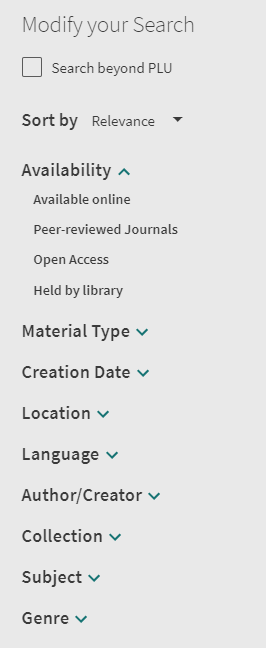
After running a search in PRIMO, you’ll be presented with a list of results. To the left of these results, you’ll find the search filter options to help you narrow or expand your search.
NOTE: If you are using a mobile device, you will need to click on the “funnel” icon that appears between the search bar and your search results to see these filtering options. The “funnel” icon is usually accompanied by a gear icon, and checkbox icon.
Although most of the terminology used in PRIMO is fairly straightforward, there are a few terms that need some clarification. Here’s a rundown of some of those terms:
- Availability: Refers to how you can access the search results. If you want to find something in the library building, you would select “Held by library.” Otherwise, if you are looking for electronic versions of articles or e-books, you would select “Available Online.”
- Material type: This refers to the format of the search results. If you are only interested in one format type, this filter will help you with this. Note that if you are interested in peer-reviewed articles, clicking on “Peer-reviewed Journals” in the “Availability” section will be a better alternative.
- Location: This refers to where in the library building the search results are located. Most useful when looking for something “Held by library.”
- Collection: If you are interested in results from a certain database, this filter will let you see results from the database you select.
- Subject: If you are interested in a particular topic/subject within your search results, this filter will be useful for that.
Saving, citing, and sharing is quite easy in PRIMO. To download academic articles, however, you’ll have to access them through the links under the “View Online” section. For more information, consult the “Downloading articles” section of this guide.

The most common ways to save or share an article are listed here. These options can be found in the results section towards the top right side of each search result, or under the “Send To” section inside a record, which you can get to by clicking on the title of the results you want to save or share.
Quotation: By clicking on this icon, you can obtain a basic citation of the related result. These citations are not full citations, so always correct them before using them.
Chain links: By clicking on this icon, you’ll be able to obtain a permalink (direct link) to a particular resource. This will be the most direct way to access a result after saving it.
- Note: Never save the URL at the top of the page when sharing a search result; use the permalink instead.
Pin: When clicking on this pin icon, you are creating a list of results that you can then share. You can access this list by clicking on the pin icon at the top of the page.
- Note: If you are not signed in, any saved lists will disappear when you close your tab or leave the library website.
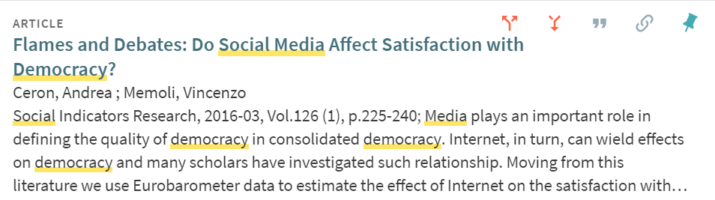
Many articles that you locate through PRIMO will have one or two sets of red arrows next to the usual sharing/saving icons:
- Upwards branching arrow: Use to locate articles that have cited the article.
- Downwards joining arrow: Use to locate articles that are cited within the article.
While this feature can be quite useful to identify similar articles, it is important to note that PRIMO will not display all articles that are cited within an article nor all the articles that have cited the article you are looking at. Similarly, you may not be able to access all of the articles that appear under this result list, but you can always request them through Interlibrary Loan.
Locating Materials in the Library
This section will help you locate information sources by their type. By default, PRIMO will list all information types, but it is possible to sort your results by type. Similarly, there are different ways for you to search for different types of sources. Follow the examples below for more information.
To quickly locate books and music scores in the library, use the library homepage. By clicking on the “Advanced Search” link located under the main search bar and then selecting either “Books” or “Sound recordings” under the “Material Type” section, you’ll be able to search through all the relevant resources held in the library.
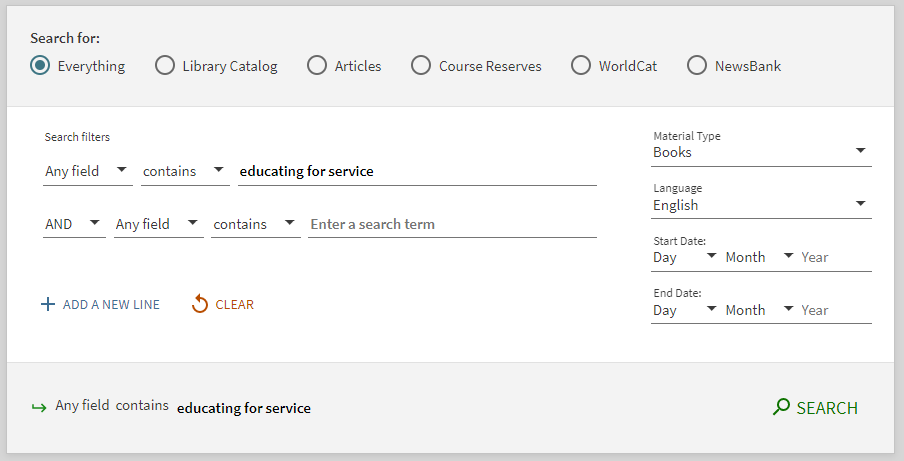
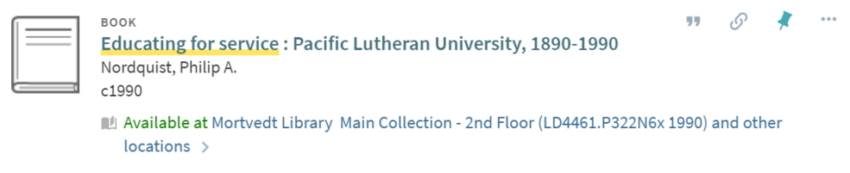
Once you have conducted a search, use the search filters on the left side to further narrow your search and locate sources appropriate for your research. After locating an item that seems useful, the catalog will provide you with a call number that you can use to locate it in the building.
If you are looking for more sources similar to one you found, you can look at the subjects for that item. These subjects are located under the “Details” section of the record. Clicking on any of these will run a search and display items with this subject. Note that you can customize this search to add additional filters and keywords.
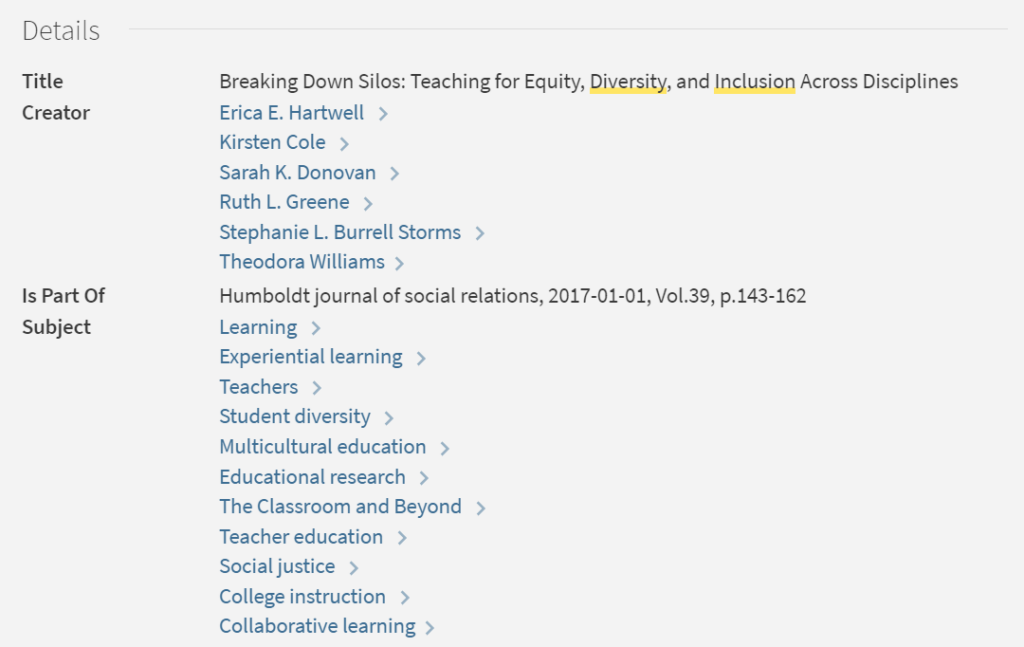
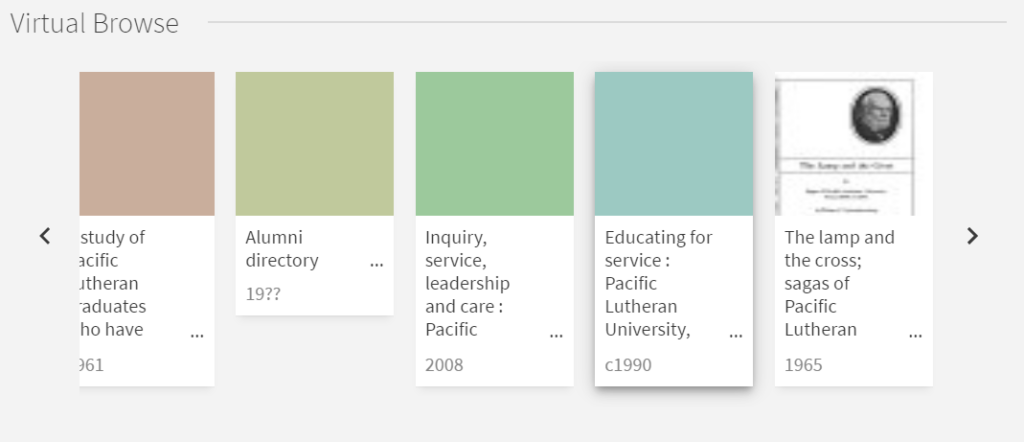
Additionally, once you locate a book on the shelf, you can also find similar items in that area. If you are not on campus, you are also able to do this while you are searching. Under the “Virtual Browse” section, you are able to see what other books are located next to the one you need.
The quickest way to locate academic articles for your research is to use the library search interface, PRIMO. Depending on your preference, you can start locating articles in one of two ways:
- Run a search in the search box located in the library homepage. Once you have a list of results, look at the search filters on the left side of the screen and select either “Peer-reviewed Journals” under the Availability menu, or “Articles” under the Material Type menu. The only difference between these two options is that when you select “Articles,” you are given both peer-reviewed and non-peer-reviewed articles.
- Click on the Advanced Search link under the search box located in the library homepage. Once you have entered your keywords, select “Articles” under the Material Type menu. Once you have a list of results, you can also select “Peer-reviewed Journals,” as indicated above, to narrow your search results to peer-reviewed articles.
Alternatively, the A-Z Database List can also give you access to all the databases that the PLU library subscribes to. As a reminder, a database refers to research resources that contain different types of resources, usually academic articles. To best use the A-Z List, it will be important to know which databases are most used within your major/field of study. You can learn more about this by consulting with your professor or contacting one of the librarians. To help you, we have also sorted the databases by their subject (major/field) and type (news, primary sources, for example).
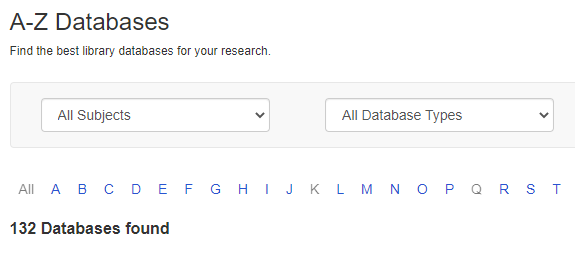
Once you have a better sense of which databases will be best for you, you can access and search their contents by clicking on their name. Know that each of these databases will look differently, but most of the research strategies used in this guide will still help you. If you have any issues navigating any of these databases, please contact one of the librarians. Otherwise, you can also consult the Using Library Databases (in development) section below for more information about how to navigate through some of these resources.
When you already know the title of the journal that you are looking for, you can use PRIMO to search for that journal. By clicking on the “Journal Search” link under the main search bar on the library homepage, you’ll be able to search through our collection of journals.
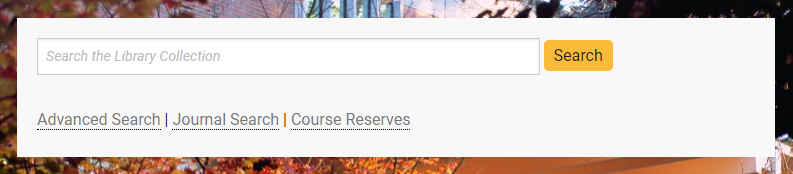
This method, however, cannot be used to find journals about a topic. For example, you’ll be able to find journals that have the word “advertising” in the title, but you won’t find all journals that are related to “advertising.” If you do not know the specific title of a journal but know what topic you want to search, you can explore the “Journals by Category” section on the left-hand side of the Journal Search page.
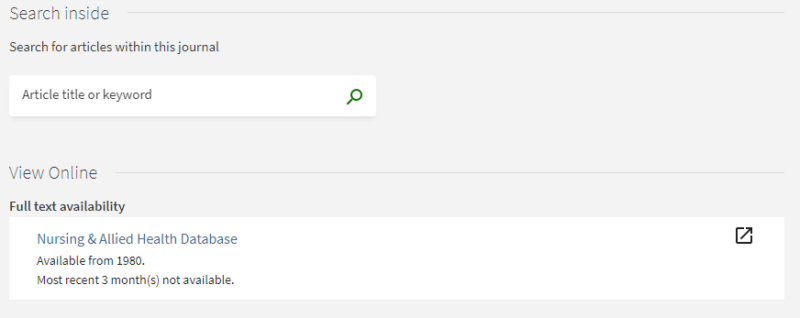
Once you have identified a journal in the list of results and clicked on the “Available Online” link, you’ll be able to see where you can access the journal and the coverage for each source. Clicking on any of these links will take you away from PRIMO and into another interface. Note that some journals can be accessed in more than one database; the only difference in these links is the range of coverage that each particular database provides.
Using Library Databases
Consult this section to learn about the features of some of the most popular databases through the library.
EBSCO is a publisher of academic information that manages a number of different databases; each database has the same interface, but each covers different topics and has a few additional features. This guide will only cover Academic Search Complete, since it offers the widest coverage, but you can find other EBSCO databases in the database list.
General information
Every EBSCO database has different and specific features which you can find above the search boxes. These are the most common ones:
- Publications: Search through all the individual journals in the database. Once you locate one, you can search within that journal or browse all issues.
- Subject Terms: Each source in the database falls under a subject term. Use this tool to search through subjects.
- Sign In: Create an account through EBSCO and sign in. Use this feature to save articles as you search.
- Chat with a Librarian: If you have any questions while searching you can always chat with a librarian.
Advanced Search
Advanced search will give you the most control over your search results. Consult the Research Strategies page for some strategies to help you develop your search terms. Below this search box, you will find a number of options to help you limit your search. These will vary across EBSCO databases, and can also be found on the left side of the results page.
Results page
Across all EBSCO databases, the search results page will look the same. On the right, you’ll find a list of search results, and on the left, a number of filters that can help you narrow your search even further. Pay attention to the following options:
- Full Text: Select to narrow your search to articles that you can access immediately and download.
- Peer Reviewed: Use this option to limit your results to peer-reviewed articles and sources.
- Source types: Limit your search to a particular type of source. Options will vary in each database.
Each database will have different search filters, use them as needed to broaden or make your search more narrow.
Article page
In this page, you are able to download and save the article you are looking for. You can also learn more about the article you are looking at. Pay attention to the following sections:
- Download articles: On the left side of the page, clicking on the PDF full text link to access the article. You will have more options to download the article from there.
- Cite: On the right side of the page, you can get an automated citation for your article. Always remembers to double check the citation, as some generators can contain errors. Head to our Citation Page for more information.
- Permalink (direct link): On the right side of the page you can retrieve a permalink for your article. This is helpful if you want to refer to this page later and are keeping track of research. Copying the link in the browser will not work, you must use the permalink to get you back to the article.
- Article information: This section provides additional information about the article. Each EBSCO database will have different types of information. Pay attention to the ‘Subjects’ categories to identify similar articles about the same topic.
JSTOR is a digital library of academic journals, books, and primary sources. JSTOR contains information from a number of disciplines, but it is most useful when doing research on the following disciplines: Religion, Political Science, History, Languages & Literatures, Cultural Studies.
Advanced Search
JSTOR is at its most useful when using the advanced search option due to the variety of content available. Pay attention to the following options for narrowing down or broadening your search:
- Images: Above the search bar you will see a tab for Images. This is a great place to search for high quality images of primary sources.
- Access Type: Below the search boxes, you will see an option for “Select an Access Type.” Here you can choose whether to see all content in JSTOR, or only the content you can access through PLU. Remember, even if you find something you can’t access on JSTOR, you can request it via Interlibrary Loan (ILL).
- Journal or Book Title: Used when you want to search for articles within a particular journal or book.
- Journal filter: This tool will allow you to narrow your search by discipline and/or journal.
Additional JSTOR options (located on the top right corner):
- Register/Log in: You can register and make an account with JSTOR . This can be helpful if you want to save articles as your search.
- Browse: The browse feature at the top right of the page allows you to explore JSTOR’s offerings by subject, journal title, or special collection.
Results Page
On the right, you’ll find a list of search results, and on the left, a number of filters that can help you narrow your search even further. Pay attention to the following options:
- Access type: Limit your results to results that you can access, or include content that you cannot access immediately.
- Search within results: Use this option to search within the results list you already have.
- Subject: Narrow your search results to a particular discipline.
Article Page
In this page, you are able to download and save the article you are looking for. You can also learn more about the article you are looking at. Pay attention to the following sections:
- Download and Save options: Located above the article, these tools will allow you to download and/or save the article you located.
- Author and Article information: Located above and to the left of the article, this section provides information about the article that is needed to complete a citation, such as author, journal title, and publication information. Notice that the author and the journal title are links. You can click on them, and respectively, search for additional articles written by the author, and access the general page of the journal where you can search for articles within that particular journal.
- Direct link: Located below the ‘Author and Article Information’ this is a direct link to the article that you located. Save this link instead of the URL in the address bar. If you want to create a link that you can access from off-campus, consult the Linking to Library Resources page.
- Abstract and details: You will find two useful tools here. First, you will see a “Remote Access URL” that you can save to access the article from off-campus. And second, you’ll find an abstract to the article you located. Remember that an abstract will provide a summary, written by the author, of the article you located.
- References: This section lists the sources used to write the article you located. Use this list to identify additional sources for your research.
- Cited by: This section lists sources that have cited the article you located. Use this list to identify additional sources for your research.
- Related texts: This list generated by JSTOR will highlight similar articles to the one that you are looking at.
GALE is a publisher of academic information that manages a number of different databases; each database looks the same, but each covers different topics. This guide will only cover Academic OneFile, since it offers the widest coverage, but you can find other GALE databases in the database list.
Basic Search and Main Page
The main page of all GALE databases gives you immediate access to a search bar that you can start using immediately to locate articles. In addition, you can find the following tools:
- Browse by Discipline: Browse different topics within a particular discipline. Only available in Academic OneFile.
- Topic Finder: Visualize your search terms and topics to find additional and related topics or search terms. This tool is not great for finding related articles.
- Subject Guide Search: Search articles tagged with a specific subject. This tool is most useful when you have a very specific topic.
- Publication Search: Locate specific academic journals or other publications.
Advanced Search
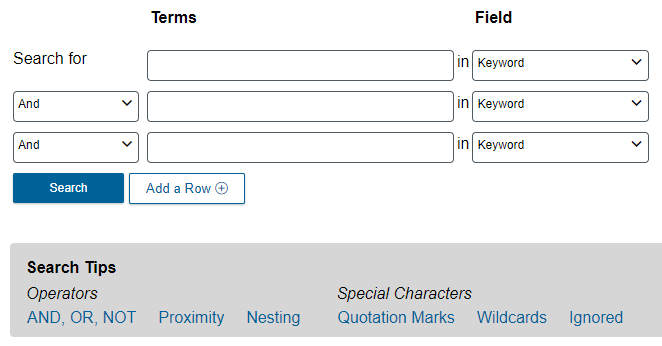
Located below the main search bar, advanced search will give you the most control over your search results. Consult the Research Strategies page for some strategies to help you develop your search terms. As you begin to use this resources, consider the following features:
- Field box: Limit your search to a specific section of an article, or other identifiers. After you select any of these, there is a description of what each does to the right of the box.
- Search tips: Learn about the many different search techniques you can use in GALE databases. Unfortunately, most of these techniques only work in GALE.
Search Results Page
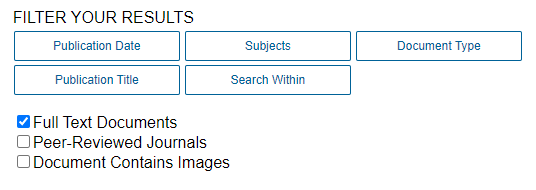
Across all GALE databases, the search results page will look the same. On the left, you’ll find a list of search results, and on the right, a number of filters that can help you narrow your search even further.
- Peer-Reviewed Journals: Narrow down your results to only academic articles that have been peer reviewed. Note that this isn’t always accurate.
- Search Within: Search within the search results you already have. This tool works best when only using one search term at a time.
- Subjects: Select from all the different subjects represented in your search results.
- Publication Title: Select from all the different publications represented in your search results.
Article Page
Once you have located an article, you are ready to read it or download it. However, each article page comes with a number of useful tools and features.

- CITE/SEND/DOWNLOAD/PRINT: Located above and to the right of the title of the article, you can find a set of tools that let you cite, share, download, or print an article. Note that the Cite tool is not 100% accurate.
- Get Link: Located above and to the right of the title, this tool gives you a direct link to an article you find. Use this tool instead of copying the URL of the page.
- Article Information: Below the title of the article, you can find information about the article. Clicking on names will search for additional sources by that person, and clicking on a publication name will take you to a page that lets you browse and search that particular publication.
- More Like This: This feature lists similar articles to the one you located.
Social Media