


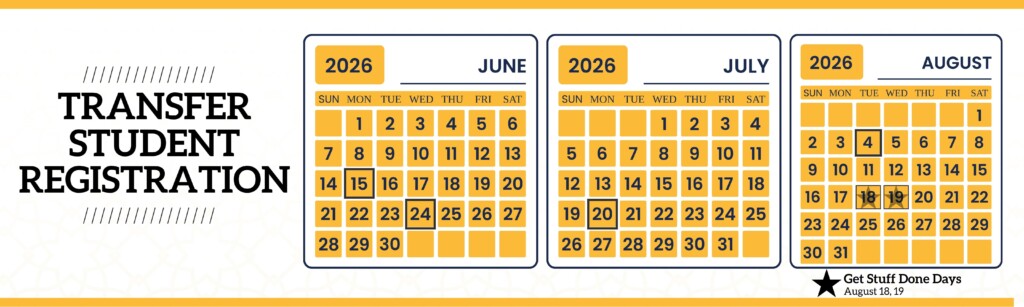
New Transfer Student Registration (TSR) Fall 2026
Registration for transfer students starting PLU in Fall 2026 will begin June 15. Continue to work on your New Student Checklist and check back here in May to request your appointment. We are looking forward to meeting you!
Math Placement Evaluation
Don’t panic! The Math Placement Evaluation (MPE) is NOT a test. The MPE is how we determine what classes you are eligible to take. Math placement scores impact classes in chemistry, biology, nursing, physics, and more.
Submit Running Start transcripts
If you did Running Start, you MUST submit official transcripts before you can sign up for an appointment to register for classes. Official transcripts must come directly from the college where you took the classes. If you’re enrolled in classes when you send your transcript then you will have to send another transcript after your final grades have been submitted. We will remind you when it’s time to send the final transcript.
- Transcripts must be submitted directly to PLU. We do not accept emailed transcripts, copies of transcripts, or transcripts that are not in a sealed envelope from the school. Most schools use Parchment to send transcripts digitally.
- How to submit transcripts (Scroll down to find your school. The link will take you directly to the website to order your transcript.
Parent Payment Agreement
The Parent Financial Agreement is required for any student who is under the age of 18 at the time of their registration appointment. Parents will be emailed the form after students schedule their registration appointments.
Set up ePass
We can’t register you without your ePass! Follow the steps in your Acceptance Letter to create your ePass and check your PLU email.
Complete Meningococcal Release Acknowledgment
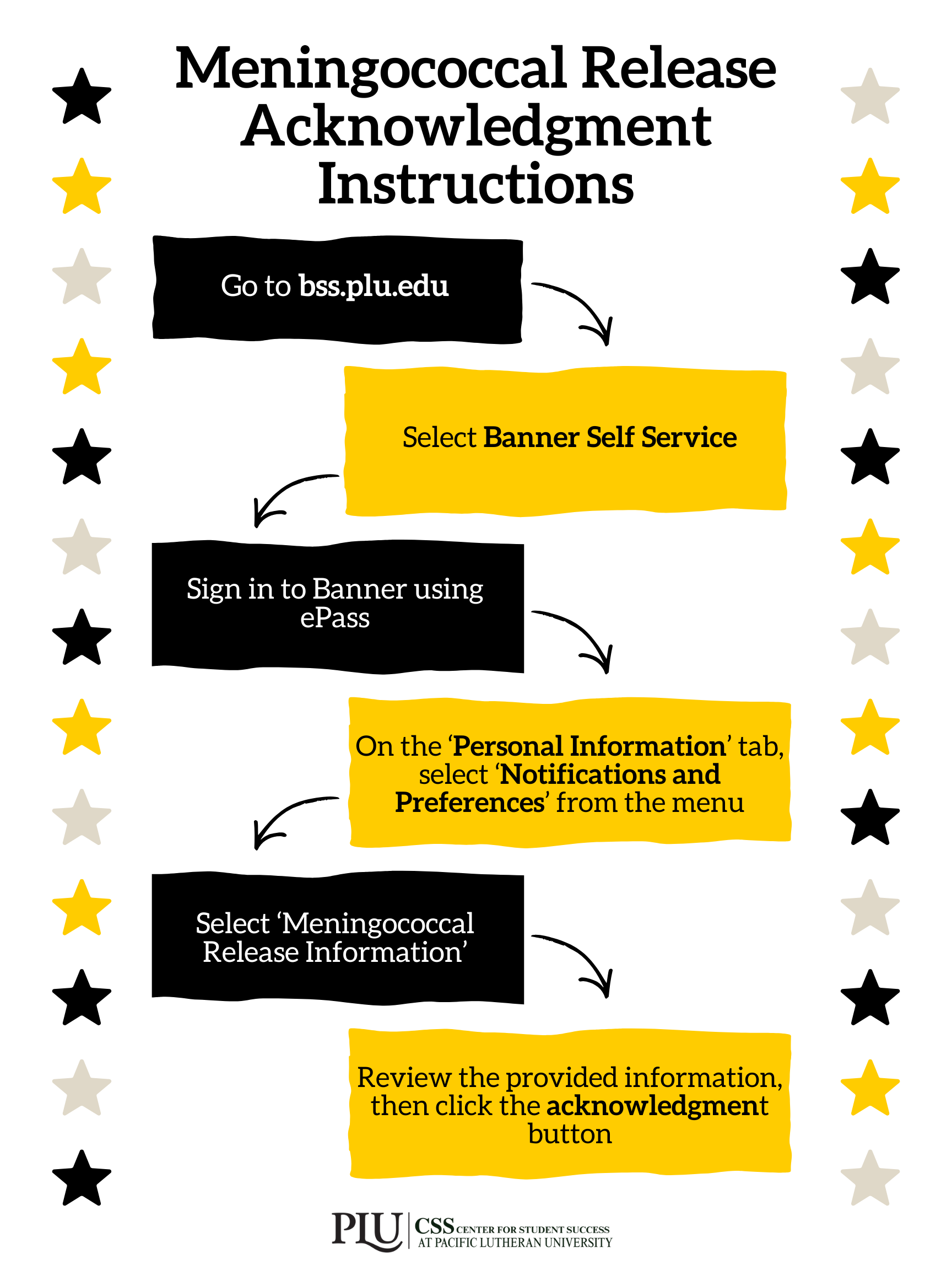
The Meningococcal Release Acknowledgement is a form you have to fill out only ONCE as a PLU student, where you must read and acknowledge the risks of meningitis, or meningococcal disease (this is a Washington State legal requirement).
What happens if I don’t have it completed by my class registration appointment? Your student account will be put on hold and we won’t be able to register you for classes until it’s complete.
Submit MMR Verification
All students born after December 31, 1956 are required to provide documentation (via the MMR Verification Form) of two MMR (measles, mumps, and rubella) vaccinations received after the first birthday.
The MMR Verification Form is required before you can register for your classes. You can find more information about this requirement on the PLU Health Services website.
Student Financial Agreement
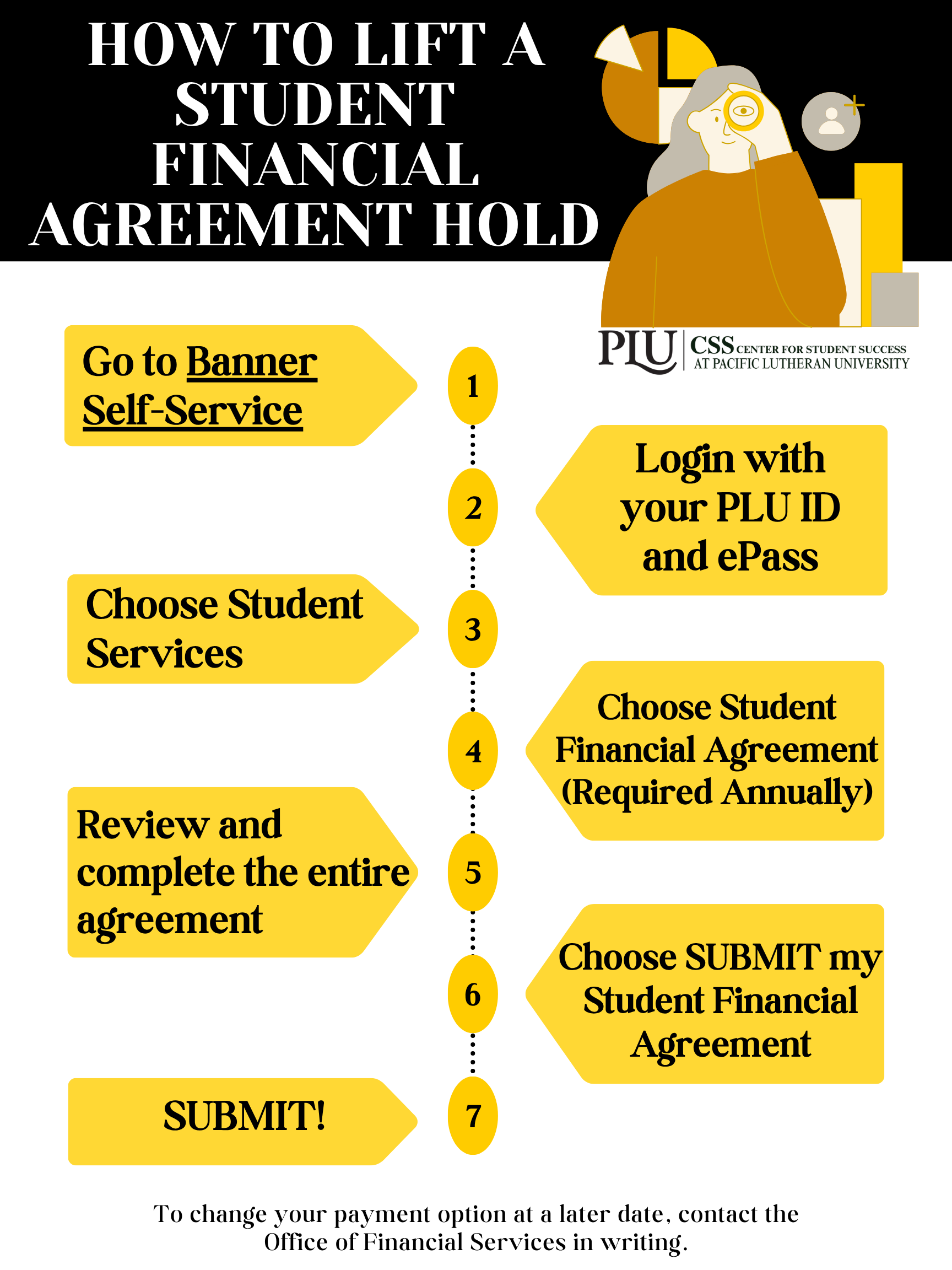
- Go to Banner Self-Service
- Login with your PLU ID and ePass
- Choose Student Services
- Choose Student Financial Agreement (Required Annually)
- Review and complete the entire agreement
- Choose SUBMIT my Student Financial Agreement
- SUBMIT
To change your payment option at a later date, contact the Office of Student Financial Services in writing.
Check PLU email

- Go to the PLU homepage.
- Click on the menu on the top, select “EPASS”, then select Gmail.
- Sign in using your ePass log-in info. (Don’t type in the ‘@plu.edu’, though)
We recommend connecting your PLU email to your phone email app. That way you don’t have to do steps 1-3 on your phone every time!
Finalize housing plans
Haven’t applied for housing?
Before you can apply for housing, you must claim and activate your PLU ePass (see the FAQ above). Then you can head over to this On-Campus Housing webpage for the step-by-step process to apply for housing, select and apply for your learning communities preferences, and complete your roommate questionnaire!
PLU requires that all full-time students live in university housing unless they meet certain criteria. You can see our residency requirement here.
Plan on living at home?
Make sure you’ve reviewed the residency requirement and criteria to live at home to confirm at-home eligibility. If you’re eligible to live at home, and choose to do so, you do not need to submit any additional information – our Residential Life Department will verify from your application and student information that you meet the criteria.
If you will be commuting to campus, you’ll find additional helpful commuter resources here.
Prepare for appointment
Before you schedule your appointment, make sure that the day and time you select works with your schedule.
In person appointment:
- Try to get to PLU a few minutes early – you’ll need to find the library and parking!
- Use the instructions you were sent in your email to find PLU in your GPS. If you put “Pacific Lutheran University” into your GPA then it will not take you to the library, where your appointment will be.
- Set aside 30 minutes to meet with your advisor. If you have time after your appointment, then you can meet with folks over in Financial Services.
Virtual appointment:
- Make sure you have solid WIFI
- Charge your device fully or have a charger with you
- Try to use a laptop instead of a phone. We’ll be sharing our screen and it can be hard to see on the phone.
- Something to take notes on
- Find a quiet place where you can be uninterrupted for 30 minutes
Complete your post-registration New Student Checklist before New Student Orientation: Lute Welcome!
Social Media