


You can hide rows on a webpage. This means you can make the contents of a row not visible to the public without entirely deleting it. This is useful for content that recurs every year but isn’t relevant all the time, such as annual scholarship application information.
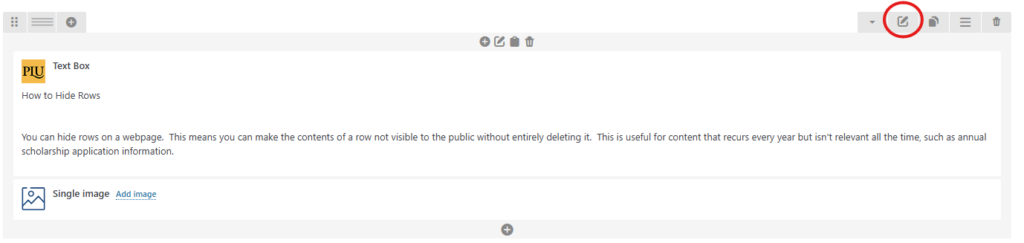
Select the pencil icon for the row. It is circle in red on this screenshot.
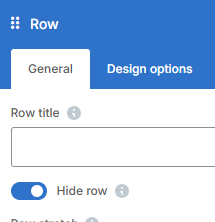 Select the “Hide Row” option from the window that opens. Then click “Save Changes”. To unhide a row, undo your selection and save.
Note: You only hide by rows, not by text boxes or other elements. If you are hiding more than you intend, you probably need to separate your elements into separate rows.
When the row is hidden, it will be grayed-out, like the screenshot below.
